Writing · Backend · PDF · Playwright
One warm browser: printing a day’s bills, Hindi included, from a Python backend
By Saksham Srivastava5 min read
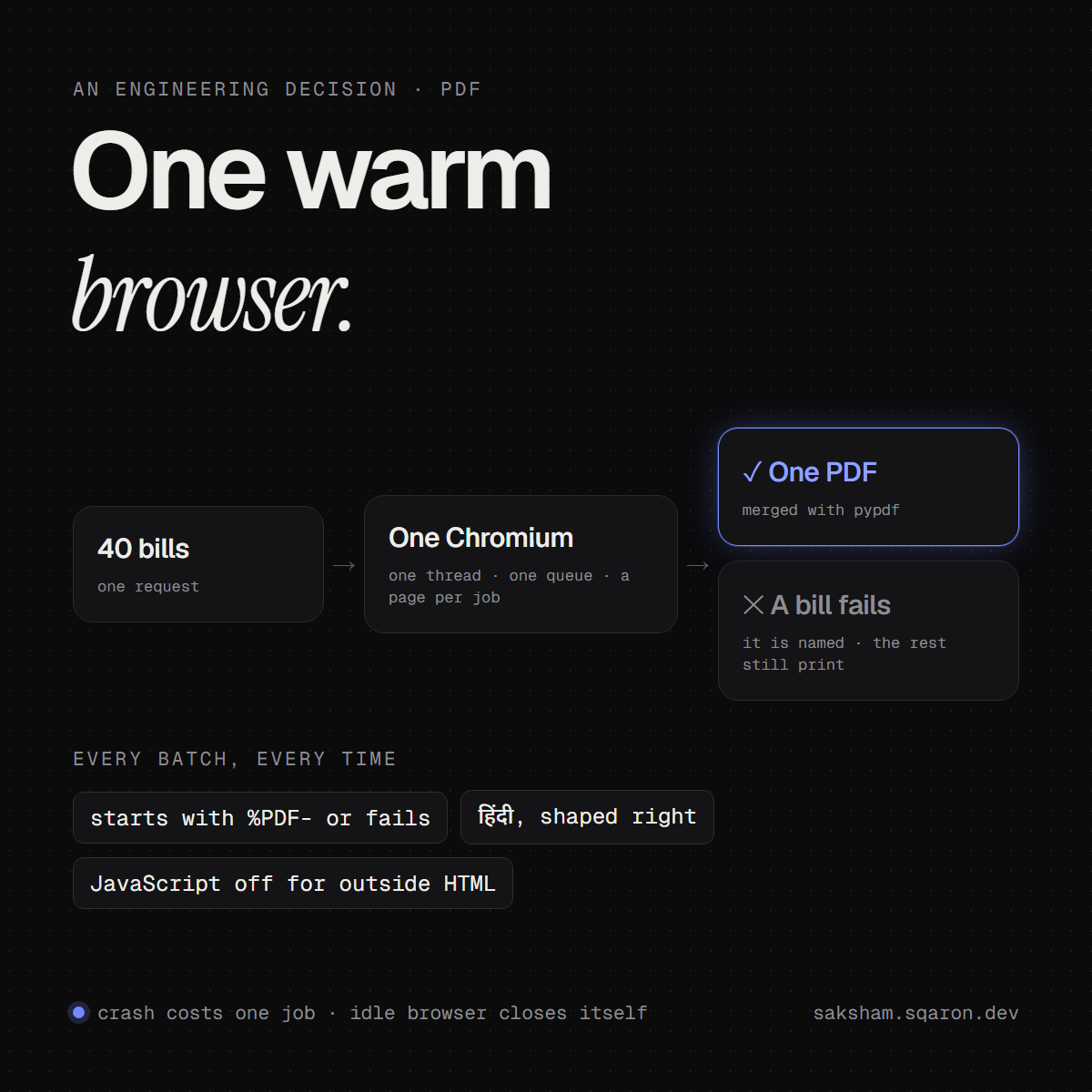
An office that runs on paper prints a lot of it: purchase bills, statements, notes, most of them with Hindi on. Making PDFs sounds like a solved problem, until you have to print forty bills at once, in Devanagari, from a server, without anyone waiting a minute.
Hindi letters have to be shaped, not just placed, and most PDF libraries get that wrong. A browser gets it right every time. So the bills are HTML, and a headless Chromium prints them. The interesting part is how the browser is kept.
1. One browser, kept warm, on its own thread
Launching Chromium takes seconds, so the server keeps one running, owned by one dedicated thread. Requests never touch the browser. They put a job on a queue and wait for the result. Each job gets a fresh page, so nothing leaks from one bill into the next. After ten idle minutes the browser closes itself, and the next job starts a new one.
jobs = queue.Queue()

def engine():                          # the only thread that touches Chromium
    browser = None
    while True:
        job = jobs.get()
        try:
            if browser is None or not browser.is_connected():
                browser = playwright.chromium.launch()
            page = browser.new_page()
            job.result = job.render(page)  # HTML in, PDF bytes out
            page.close()
        except Exception as error:
            job.error = error
            browser = None                 # a crash costs one job, not the server
        job.done.set()
Playwright’s sync API isn’t safe to share between threads, which is why one thread owns it. Renders run one at a time per process, on purpose: a printer that does one thing at a time, quickly, beats one that tries ten and runs out of memory.
2. A crash costs one job
Before every job, the engine checks that the browser is still connected. If anything throws, the browser is thrown away and the next job launches a fresh one. A caller waits at most four minutes, then gets a clear “the printer isn’t available” error instead of a request that hangs forever.
3. Forty bills, one page, one file
Opening a page per bill is wasteful. For a batch, the engine loads the bill template once, renders each bill’s data into it, prints it and clears it: up to 40 bills per request. The fonts are awaited once per batch, not once per bill. Every result has to start with %PDF-, or it doesn’t count. Then the bills are merged into one file with pypdf.
If a batch fails, it isn’t all or nothing. The server retries the bills one at a time and tells the screen exactly which ones failed, in a response header. You get the bills that printed and the names of the ones that didn’t, never a blank error page.
4. HTML from outside is not trusted
Some documents, like statements, are built from HTML that the screen sends. That HTML is printed with JavaScript switched off, scripts stripped, and the browser allowed to fetch only public https addresses, never anything on the server’s own network. With no JavaScript to split it into pages, the statement is paginated in Python before it is printed.
What this buys you
- Hindi that is actually right, because a real browser shapes it.
- A day’s bills in one click, merged into one file.
- Failures you can act on: the name of a bill, not a blank page.
The best PDF engine is the browser you already trust to draw text.
I’m Saksham Srivastava, a full-stack & AI engineer in Lucknow and co-founder of Sqaron Technologies. Work with me or see what I’ve built.
- Python
- Playwright
- Backend
- Also on DEV
 Read nextThe model reads, the code decides: AI document reading that can’t put a wrong number in the books25 Nov 2026 · 5 min All writing